
From an Idea to a First Website in 14 Minutes With Codex and ChatGPT Sites
A measured account of building Brownsmith’s Business Advisor landing page with Codex and ChatGPT Sites, from a private first deployment to a later public launch.
On 2 October 2026, I asked Codex to build a landing page for Brownsmith Dynamics’ Business Advisor. The first deployment succeeded 13 minutes and 52 seconds later. It was a private first version, not ready for a public launch, but something that could get there with the right idea.
Read the public build timeline and evidence notesI then asked for a branding and copy revision. That deployment arrived 22 minutes and 40 seconds after the second request. The custom domain, the Advisor’s backend, six articles and public launch came later. A focused first page can move quickly when the business context already exists. The work that makes it ready for visitors still deserves its own time.
How quickly can you build a simple marketing website with AI?
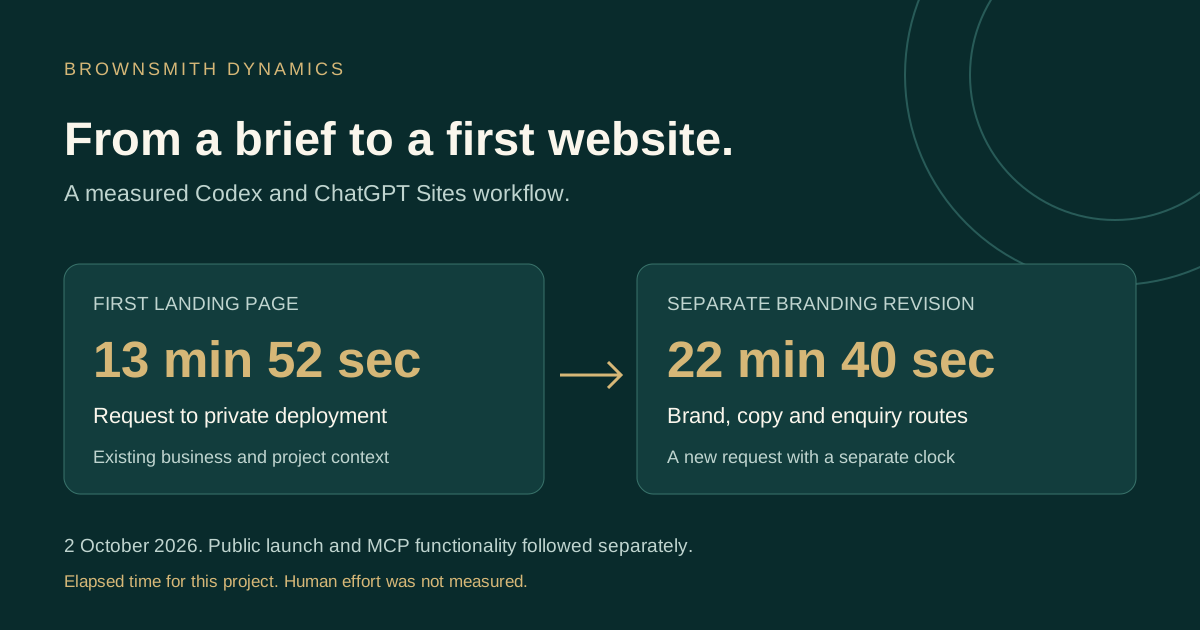
In this case, the first deployment took 13 minutes and 52 seconds from my request. That clock started with an existing Business Advisor project and business context, so it does not include all the work needed to invent an offer, gather assets or decide what the page should say.
The record has three milestones worth keeping separate. I made the request at 6:58:35 pm IST on 2 October. The first deployment succeeded at 7:12:26 pm, privately. After a second request at 7:23:38 pm, a revised deployment succeeded at 7:46:18 pm. The first interval is 13 minutes 52 seconds; the second is 22 minutes 40 seconds. These are elapsed times, not a measure of active human effort or the total time to a public website.
A Sites project was registered at 7:05 pm IST, but that is a hosting setup event. Counting from that event would leave out the work after the original request. Measuring from the request gives a fuller account of the process.
What should you prepare before asking AI to build your website?
Give the builder enough accurate context to make a useful first page. Name the audience, the offer, the action a visitor should take and the facts that support the offer. Gather approved copy, brand assets, working contact details and examples of any existing pages whose style you want to retain.
The Business Advisor project already had a defined purpose and supporting material. During the later revision, I supplied Brownsmith’s main-site identity and used the project README to make the page’s explanation more accurate. That is part of why the build was bounded. If the offer, audience or contact route is still undecided, settle those questions before asking a tool to polish the page around guesses.
Here is a reusable starting brief. Adapt it to the tool you are using and fill in the brackets with approved information:
“Build a responsive marketing landing page for [business]. Our audience is [audience], and the page should help them [visitor outcome]. Use only the business information and assets I provide. Include a clear introduction, service explanation, useful examples, answers to the main buying questions and [one primary enquiry action]. Keep the copy short and direct. Test mobile and desktop layouts and interactive elements. Save a version for review before making it public. Ask me for missing facts rather than inventing them.”
A prompt is a brief, not a substitute for editorial judgment. Read every claim as if a prospective customer might rely on it. Replace generic promises with the actual offer, evidence and limitations of the business.
How did we build the Business Advisor landing page?
I described the page we needed and worked with Codex on the implementation. The first source version contained a static landing page with workflow tabs and prompts visitors could copy. ChatGPT Sites handled the hosted deployment. In this workflow, Codex helped shape the site and Sites provided the deployment destination; another team may use a different combination of tools.
The first version was a usable starting point, but it did not yet match the main Brownsmith website closely enough. I asked for a separate revision, supplied the existing brand direction and asked for clearer explanations grounded in the project README. We also refined how people could make an enquiry. The work was specific: improve this page for its intended audience, using material already available.
The distinction matters to a business owner. A generated page can put a real idea on screen quickly. The quality of the result still depends on whether the brief describes a real customer, whether the information is sound and whether someone notices when a polished sentence says the wrong thing.
What makes a marketing website ready for visitors?
A deployment is a point to review, not proof that the page is ready. Check the content, images, links, forms and interactive behavior. Read it on a phone as well as a desktop. Follow every enquiry route yourself. Confirm that the access setting matches the audience you intend to reach, and look for private information or claims that the business has not approved.
ChatGPT’s Sites guidance recommends checking links and forms, testing the intended visitor experience and choosing a sharing option that fits the audience. It also covers reviewing how a Site handles personal information. Our branding revision included recorded responsive-layout and interaction checks. Use the wider checklist when deciding whether your own page is ready to share.
Keep a short record as you review: what you checked, when you checked it and what still needs work. A page may be ready to share with a small group while its domain, privacy information or public-facing copy is still being resolved. Label the stage plainly so nobody mistakes a preview for a finished launch.
How much did the AI website build cost in API-equivalent tokens?
The recorded model usage works out to about $0.76 for the first landing page and $0.93 for the branding revision at Standard API rates checked on 4 October 2026. Together, that is about $1.68. Allowing for unknown cache-write treatment gives a Standard-rate estimate of $1.68–$1.81 for these two tasks.
The retained logs identify GPT-6.1 Sol as the main model and GPT-6 Luna for one supporting agent in each task. Across those four turns, they record 7,728,063 input tokens, including 7,410,432 cached input tokens, and 48,843 output tokens. Input includes context processed repeatedly across calls. Cached tokens are part of input, and reasoning tokens are part of output, so neither is counted twice.
The estimate applies each model's published rates separately. GPT-6.1 Sol lists $2 per million ordinary input tokens, $0.10 for cached input and $10 for output. GPT-6 Luna lists $0.10, $0.01 and $0.50 respectively. Cache writes have a separate rate. The logs do not identify those writes or the processing tier. If all four turns used Fast processing, the same usage would instead be approximately $3.37–$3.63. No recorded request crossed the 272,000-input-token threshold for higher context pricing.
This is a model-compute comparison using current API prices, rather than a reconstruction of our subscription bill. It excludes human time, the domain, hosting or plan charges, external tool fees and the earlier project work. Later articles, policies and MCP implementation are outside this calculation too. A business commissioning a website is paying for the brief, decisions, review and delivery as well as the model calls.
| Task | Input tokens | Cached input included | Output tokens | API equivalent |
|---|---|---|---|---|
| First landing page | 3,545,020 | 3,372,032 | 16,450 | $0.76–$0.83 |
| Branding and copy revision | 4,183,043 | 4,038,400 | 32,393 | $0.93–$0.99 |
| Both tasks | 7,728,063 | 7,410,432 | 48,843 | $1.68–$1.81 |
Can ChatGPT Sites publish a website on your own domain?
Where the feature is available, Sites can connect an apex domain or subdomain you already own. You add the DNS records shown in the Site settings through your domain provider, then return to Sites to check the connection. Sites does not register the domain for you, and the official documentation notes that custom-domain availability has workspace limits.
Our first deployment used a ChatGPT-hosted address. The custom domain and HTTPS were active later that day, during the branding revision. The hosted Advisor backend and public access followed on 3 October. These are separate milestones from the first private deployment. Once the domain connects, check that the page still reads clearly and its enquiry routes work for visitors.
Product capabilities and availability can change. Before planning around a particular account or workspace, check the current Sites documentation and the options shown in your own settings.
When is a simple AI-built marketing website a good fit?
A bounded page is a good first job when the business already knows whom it serves, what it offers and what a visitor should do next. A service page, event announcement or early enquiry page can be small enough to review as a whole. You can improve the words and layout without having to solve an entire application at once.
A business that needs payments, a private customer area, complex data handling or multiple system integrations should describe those needs before choosing a platform. They can change the technical scope and the review needed. ChatGPT Sites’ current guidance lists some unsupported uses and runtime limits, so check those details for the actual project instead of assuming a hosted page can support every business process.
The best prompt does not promise a perfect site in minutes. It gives a tool a narrow, meaningful job and makes the missing facts visible. Then a person reviews the result, improves the parts that matter to customers and decides when the page is ready for a wider audience.
Start with one useful page and a clear visitor action.
Our first private deployment took 13 minutes and 52 seconds from request to success. The branding revision took 22 minutes and 40 seconds from its own request. Public launch required later work. Those timings describe one project with existing context; they are a useful reference point, not a general delivery promise.
Choose one page that answers a real customer question. Give the builder accurate information, review the first version and test the next action. That is a manageable way to get the business online and learn what visitors need next.
Sources and Supporting Material
These references support factual claims in the article. Brownsmith's interpretation and forward-looking analysis remain editorial judgement rather than vendor promises.
Brownsmith Dynamics services
Put This Idea to Work.
Explore how we connect your website, search visibility and useful content to a clear enquiry path.
Brownsmith Dynamics supports small, well-funded teams of 1–50 people, including funded startups and established family businesses. Business Efficiency involves AI integration and automation to improve operations. Organic Lead Generation uses digital marketing to improve discovery and relevant enquiries.
Practical Guide
Learn AI-Assisted Product Building
Explore the tools and working patterns used to give a coding agent useful context and reviewable work.
Explore the guideCodex Workflow
How We Use ChatGPT and Codex Together
See how discussion and repository-aware execution fit into one working process.
Read the Codex workflowLive Example
Brownsmith Business Advisor
Visit the Business Advisor site built for this project.
View the case-study site